


Last week, Angela Liu at Gaapsavvy invited Jotham Ty, Devon Coombs, and me to share how we build apps and agents on Lumera with the Gaapsavvy community.
As I was prepping for this demo, I built a Slackbot that talks to NetSuite. I want to do a deep dive on this use case because it shows what AI can realistically do for accounting teams today.
The short version: I can mention Lumera in Slack, ask it an accounting question, and it will check NetSuite and any other systems it’s connected to, and take the appropriate next action. In my example, it decided an accrual JE was needed, routed it for my review, and only sent the transaction to NetSuite after I approved it.
What the app does
I send a message in Slack:

Lumera reads the message and understands that this is an accounting close request.
It checks NetSuite for evidence of an existing accrual, looks for the relevant vendor and transaction activity, and replies back in the Slack thread with a conclusion.
In this case, the answer was essentially:
I did not find evidence of the accrual in NetSuite. Based on the request, here is the draft entry I recommend.
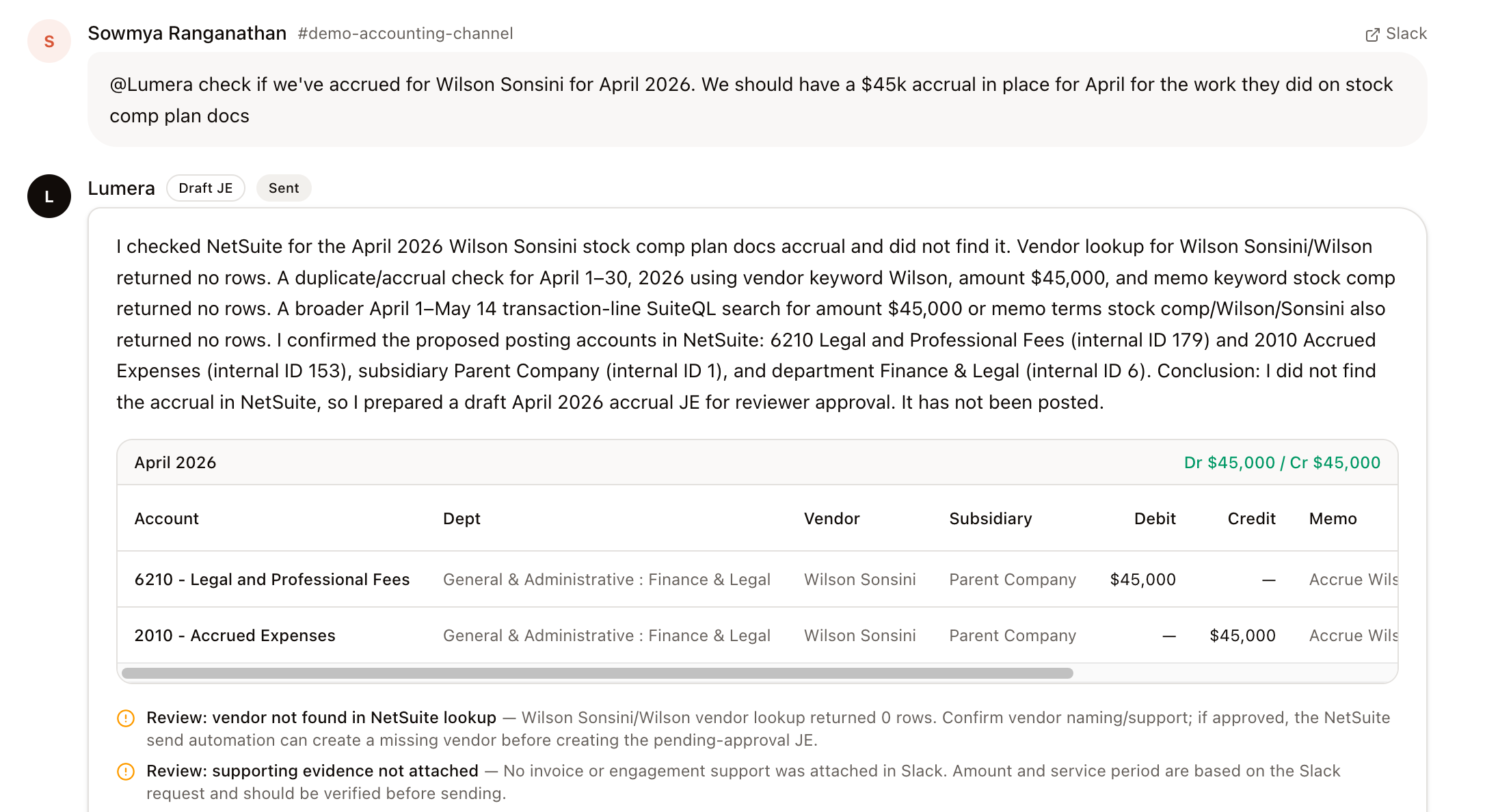
The journal entry is not posted automatically. It sits there as a draft for review.
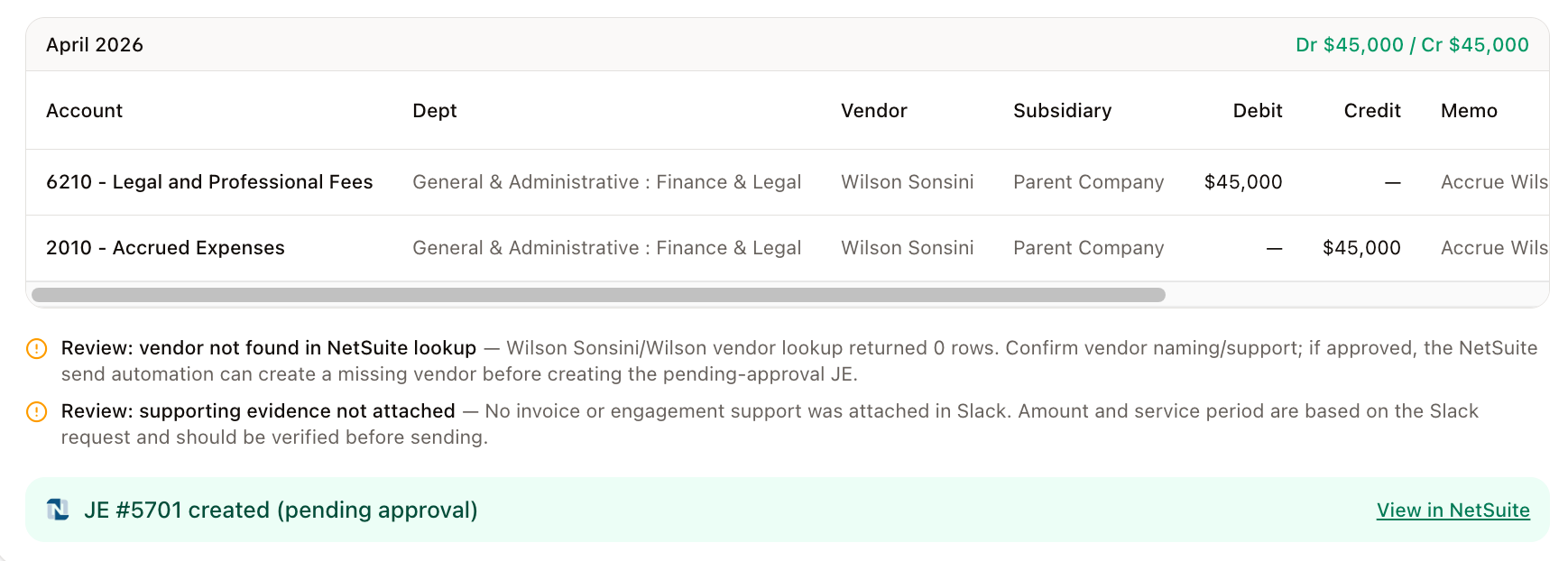
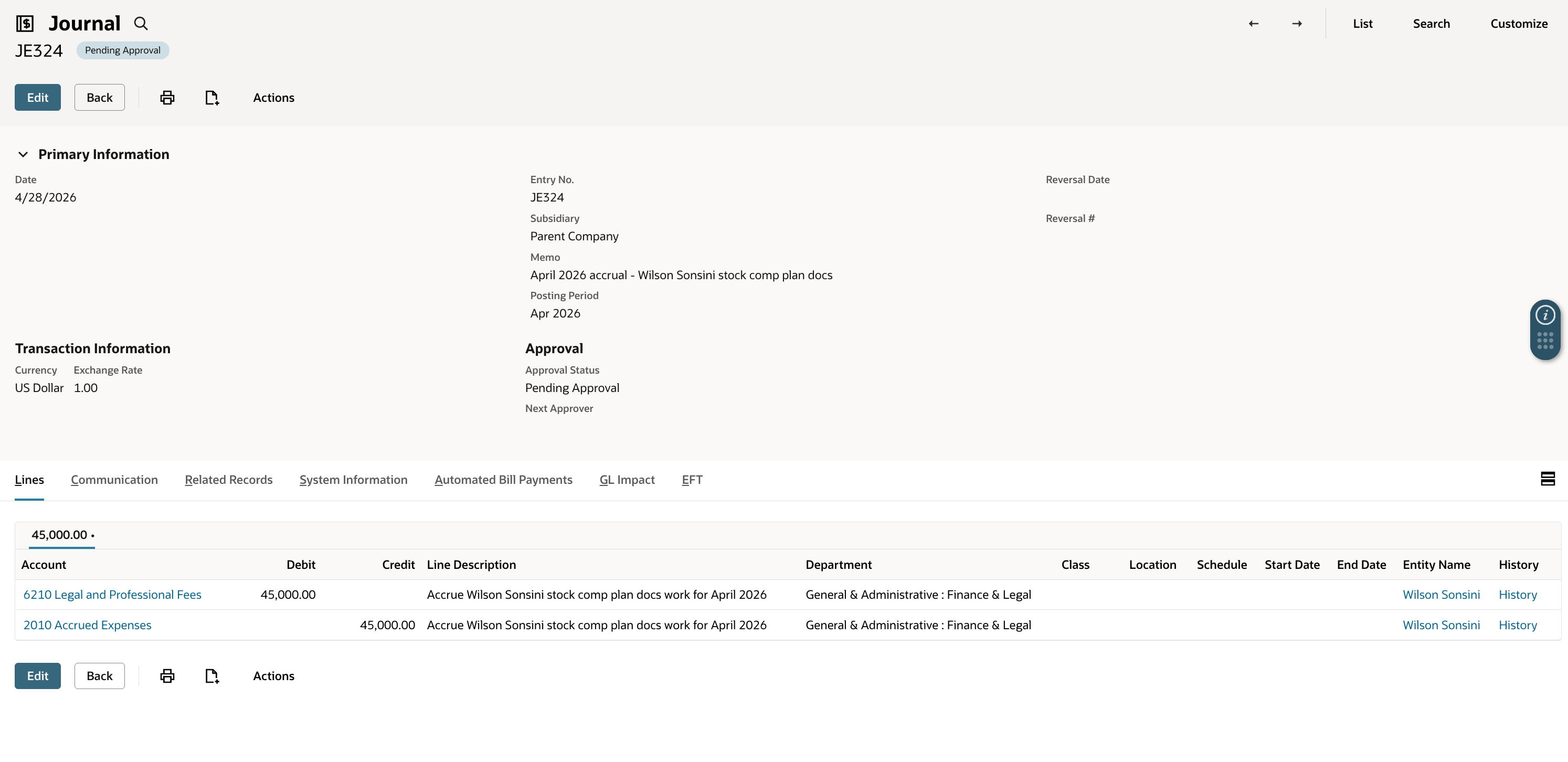
Once I explicitly authorize it, Lumera creates the journal entry in NetSuite in pending approval status and gives me a direct link to the transaction.
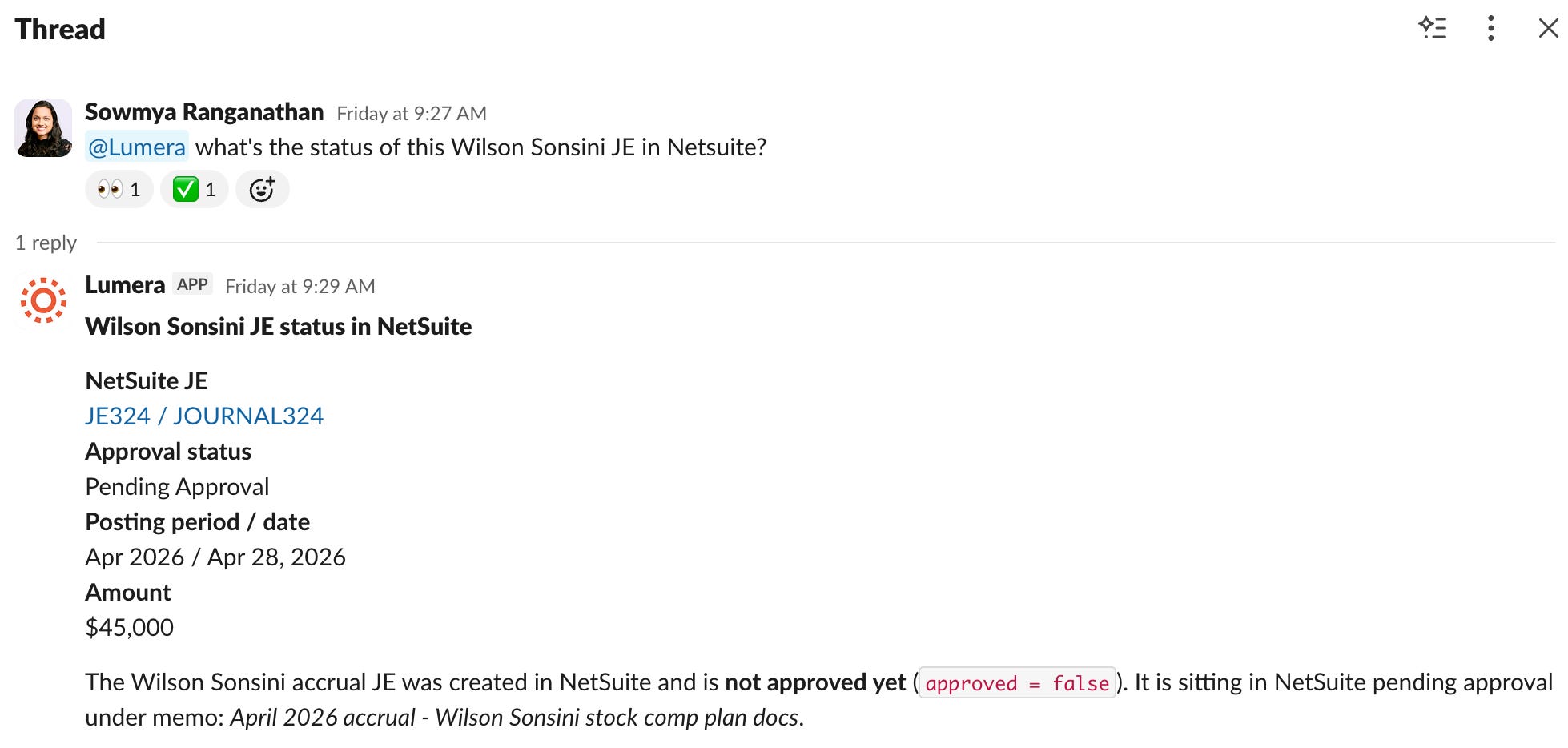
Later, I asked a follow-up in Slack:
“What’s the status of the Wilson Sonsini JE?”
Lumera connected that question to the earlier Slack thread and the existing task, checked NetSuite, and confirmed that the entry was still pending approval.
Why this is not just a chatbot connected to NetSuite
A chatbot-style approach would be: the model receives a message, calls NetSuite, and decides what to do next.
AI is useful for things like:
understanding a messy Slack message
figuring out whether someone is asking a close question, an AP question, or a status question
summarizing evidence in plain English
drafting an accounting conclusion
explaining what still needs review
Software (deterministic code) is better for things like:
confirming that NetSuite account IDs exist
validating subsidiary and department mappings
making sure the same message is not processed twice
creating a journal entry through the NetSuite API
recording an audit trail
That is the design principle behind this app:
AI handles language and judgment. Software handles controls and execution.
Lumera makes it possible to combine those two in one workflow.
The building blocks behind the scenes
The app is made up of a few simple pieces. You do not need to be technical to understand them.
1. A place to store the work
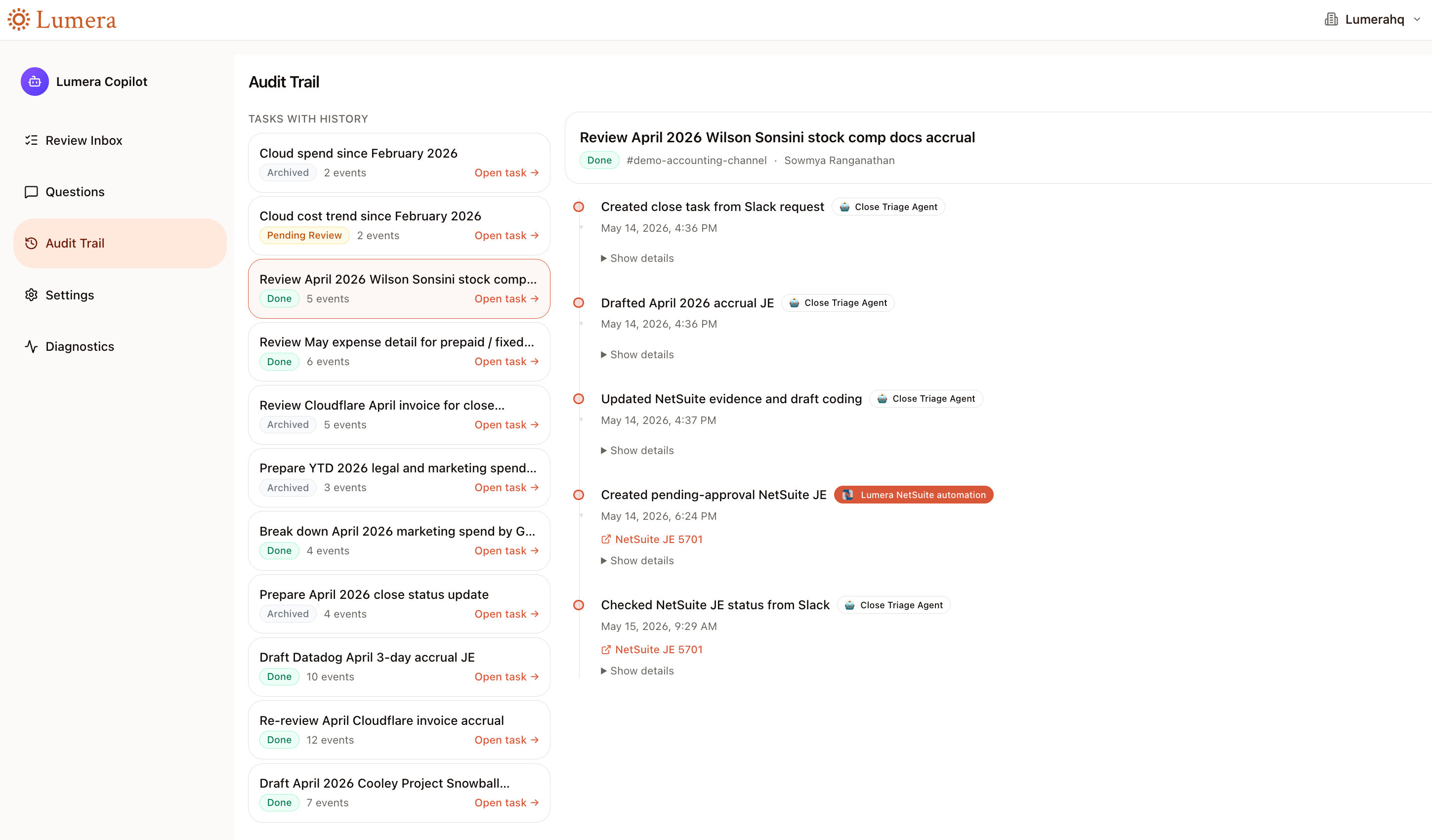
When Lumera sees a Slack request, it does not keep everything trapped inside a chat history. It creates structured records stored in database tables: a close task, a draft accounting action, processing history, and audit events.
Because audit logs are automatically stored by the platform, you can build audit trails like this within the app to show you what actions were taken on a task.
2. A trigger that watches the right Slack messages
The app only processes messages when Lumera is mentioned, or when the message is already part of a Slack thread tied to an existing Lumera task.
Accounting teams have a lot of Slack conversations, and a bot that jumps into every thread would be annoying.
3. An AI agent that understands the request
Once the message passes those checks, Lumera sends it to a custom accounting agent - in this case, it created an agent called the ‘Close Triage Agent’. Its job is to decide what kind of accounting work is being requested.
The agent can read the relevant task history, query NetSuite through controlled tools, draft an answer, and create or update the Lumera task.
It is prompted to behave like a senior accountant: cite evidence, include amounts and dates, reference NetSuite IDs, and make clear what is a draft versus what has actually been posted.
4. Reliable NetSuite actions handled by code
When Lumera needs to query or update NetSuite, it uses purpose-built backend scripts rather than letting the AI model improvise.
For example, there is one script for NetSuite finance research.
It can look up accounts, vendors, customers, GL activity, payment status, variance details, and possible duplicate entries.
There is another script for sending an approved journal entry to NetSuite.
5. Secure connections to Slack and NetSuite
The app also needs secure access to Slack and NetSuite.
Lumera provides the connection layer, so the coding agent did not have to build credential storage, OAuth flows, or NetSuite authentication from scratch.
The app can use the connected Slack account to read messages and post replies. It can use the connected NetSuite account to run searches and create journal entries.
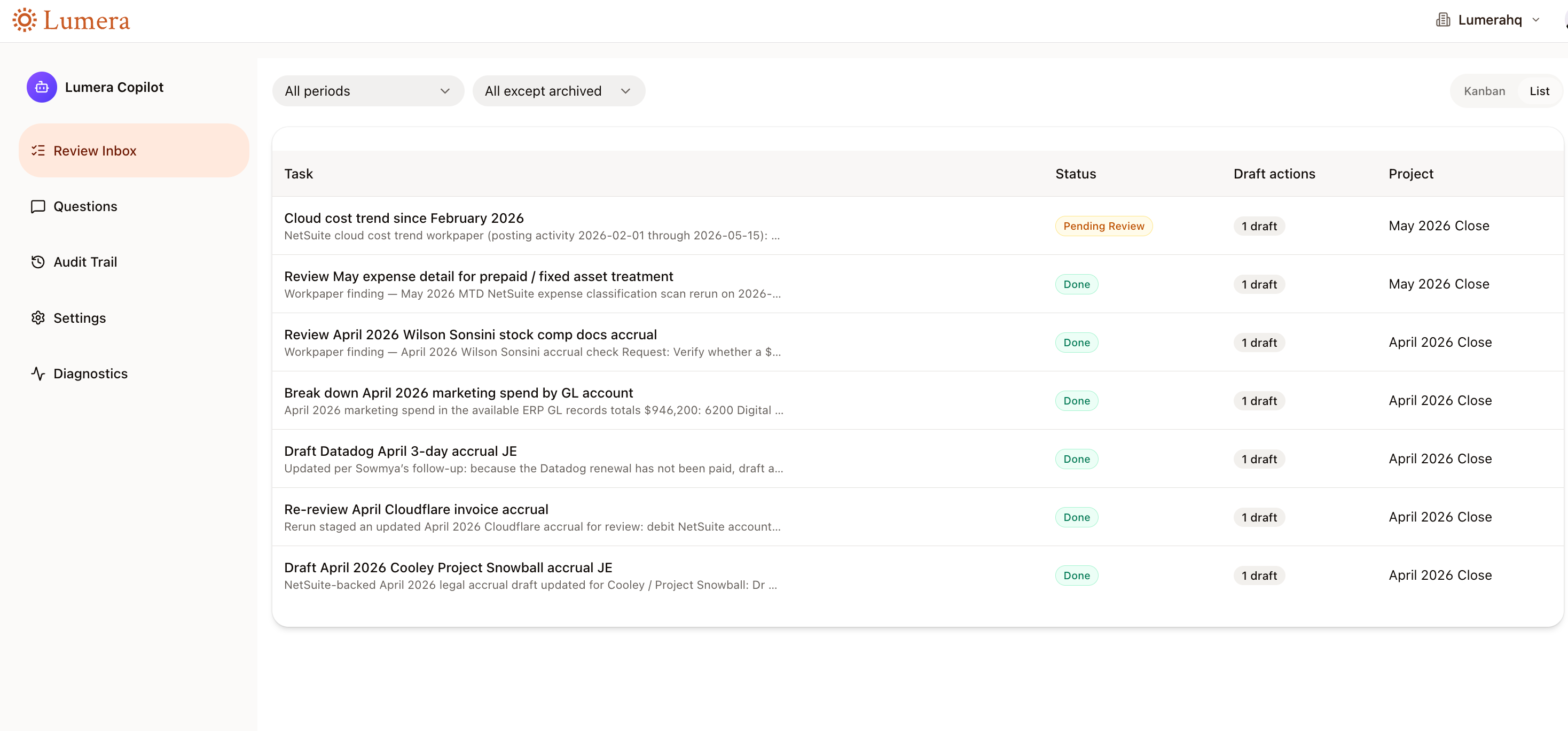
6. A review screen for the finance team
The Slack experience is convenient, but Slack is not where I want to approve journal entries. So the coding agent also built a review app inside Lumera.
I did not sit down and manually write all of this code or wire up all the components together. I described the workflow I wanted, and the coding agent built the application using Lumera’s building blocks.
The broader point is that the gap between identifying a workflow problem and building the solution has narrowed significantly.
If you can describe the process clearly, a coding agent can now help build the system around it: the workflow, the controls, the integrations, the review dashboard, and the audit trail.
The future is not just AI answering accounting questions. It is finance teams building the systems they always wished existed.
What do you want to build? Sign up here, or book some time to see the platform in action!
Great insights and use case.